Freebie! 10GB Traffic-Free Overseas BackBlaze Object Storage [CDN Integratable]
The author criticizes Tencent Cloud's COS (Object Storage) service in the article, pointing out its unreasonable pricing, especially for overseas storage. The author noticed issues with Tencent Cloud's billing, such as forced cache clearing and charging 1GB for anything less than 1GB. Since Tencent Cloud does not allow binding a custom domain to a domestic bucket without ICP filing, the author had to use Hong Kong but faced SSL issues. Finally, the author recommends Backblaze's overseas storage service, highlighting its large free quota, reasonable price, and free traffic partnership with CloudFlare. The article concludes by explaining the steps to register on Backblaze, set up custom domains, shorten links, configure CORS, and extend cache time. Overall, the author expresses dissatisfaction with Tencent Cloud and highly recommends the alternative.
This post was last updated 2 years 5 months ago
The article heavily discusses specific cloud storage pricing details, promotional free tiers, and API behaviors that are subject to change by the service providers.
Tencent Cloud's COS is a hidden trap. When you first enter, they heavily promote that the first six months are free for users, but in reality, this free tier only applies to buckets stored domestically in China. Their tiered pricing for overseas storage is extremely unreasonable. My COS used 1.6GB of traffic in a month. According to the official pricing
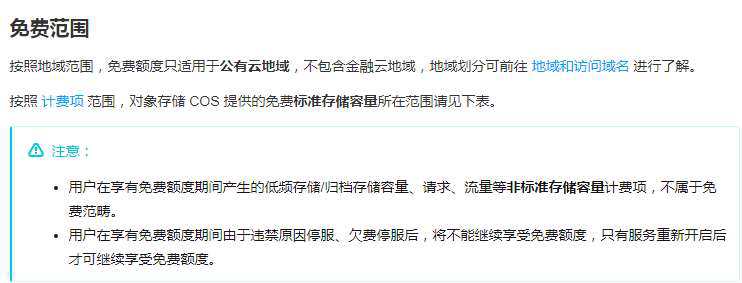
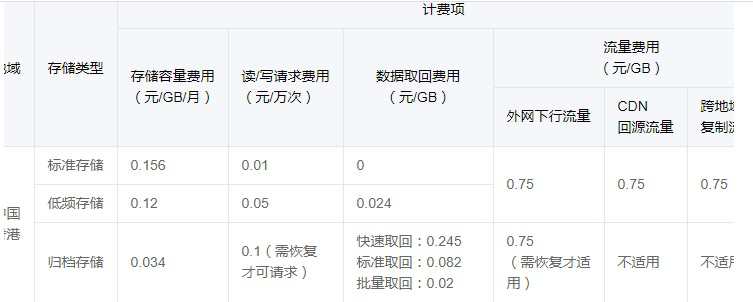
It's about 0.7 or so.
However, Tencent Cloud has always had this annoying policy where anything less than 1GB is calculated as 1GB. I glanced at the bill:

Come on, Sir, more than one yuan a month, why would I use your stuff then  !
!
It's hard to understand. I set my CDN to a super-long cache of one month, but Tencent still billed me for 1GB, which makes no difference from fetching directly from the origin.
Later, I pressed F12 and took a look. Tencent quietly added max-cache as 43200s in the header, forcing a cache clear every 12 hours. Sir, making money shouldn't be played like this. 
What frustrated me the most is that cyfan.top has no ICP filing. Using a domestic bucket means I'm not allowed to bind a custom domain, which forced me to use Hong Kong. But binding a domain in Hong Kong doesn't provide SSL; you are forced to layer a CDN over it. But *** Tencent Cloud's default CDN is Amazon's, which has terrible speed, so after trying it out, I went back to using CloudFlare. But wait, since I have CloudFlare, why don't I just use the free Github service! 
This is basically forcing me to switch to another image hosting service, isn't it  .
.
Later, someone on Twitter recommended backblaze for overseas storage. I gave it a try and found it perfectly met my needs. 
BackblazeH1#
In September 2015, Backblaze launched a new product, B2 Cloud Storage. As an Infrastructure as a Service (IaaS), its goal is software integration (although it also provides a web frontend and API). It directly competes with similar services like Amazon S3, Microsoft Azure, and Google Cloud. In April 2018, Backblaze announced cloud computing partnerships, directly connecting Backblaze's data centers with its partners Packet and ServerCentral to provide high-performance cloud computing for data stored in B2 Cloud Storage at no additional cost.
B2 Cloud Storage is very generous and has the following advantages:
- Users get 10GB of free direct-link storage permanently
- 1GB of outbound traffic per day
- Unlimited upload traffic
- 2500 free download requests per day
- 2500 free upload requests per day
- Based on CloudFlare CDN
Moreover, the pricing beyond the free quota is also very reasonable [though I won't put a single cent into it!]
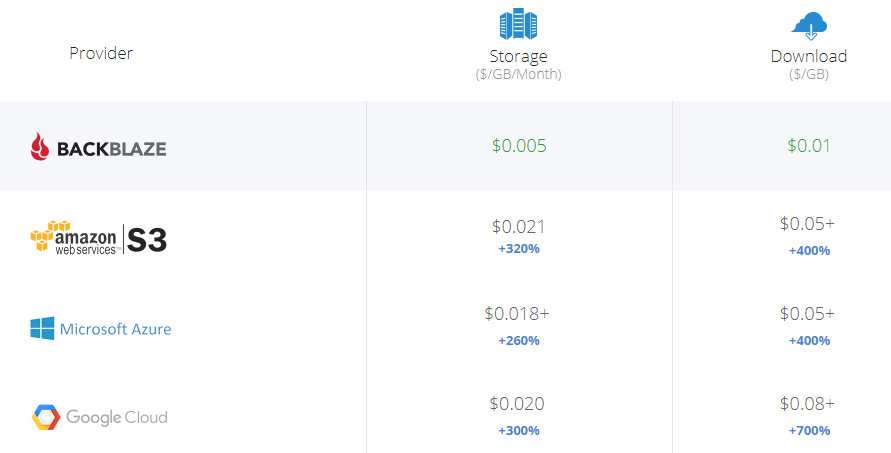
However, I accidentally found out that Backblaze joined CloudFlare's Bandwidth Alliance. Traffic between Backblaze and CloudFlare is completely free, meaning unlimited outbound traffic every day. Coupled with CloudFlare's super-long cache, daily download requests are free for an unlimited number of times. 
And the speed this way is about the same as my COS, so why should I use paid COS?
Registration:H1#
Go to B2 Cloud Storage to register, you can use Google quick login:
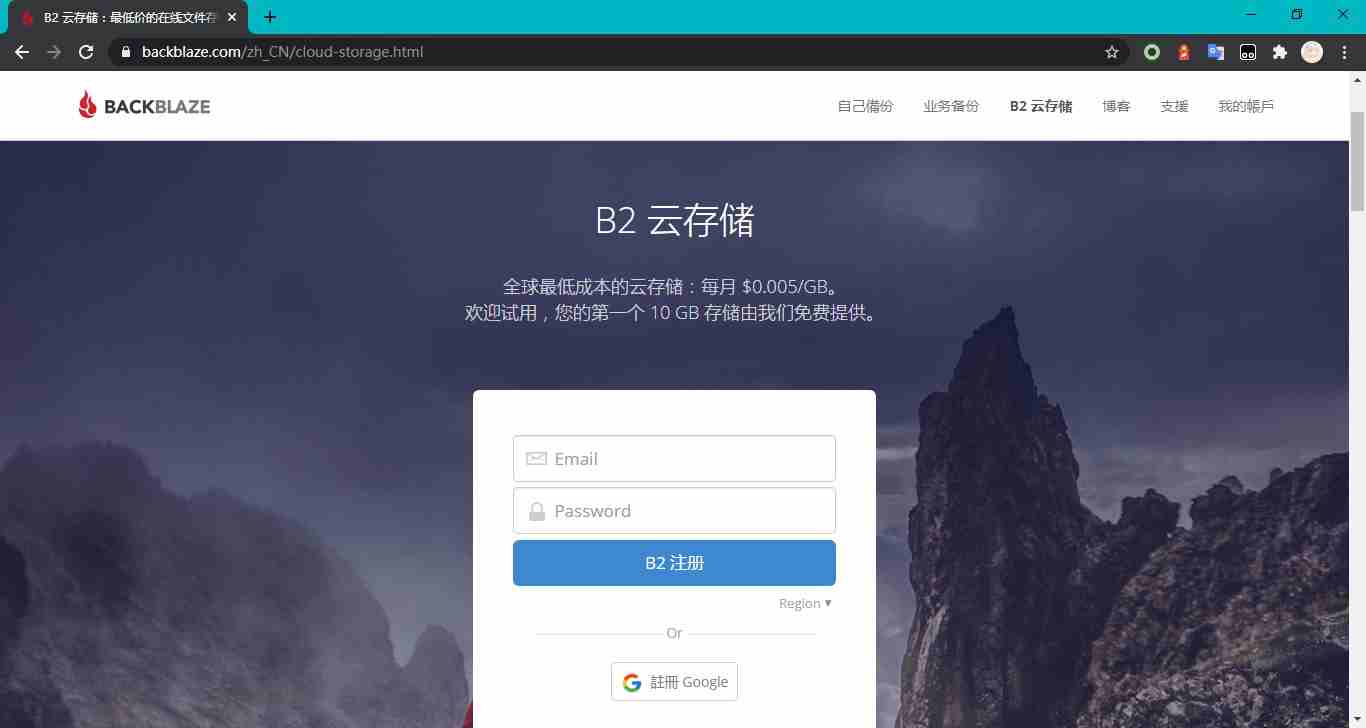
After registration, it might ask you to bind a phone number. Just obediently bind your own Chinese phone number [it might incur an SMS fee, about 0.1¥]. Don't think about any crooked ways; after all, many public phone numbers can't be used, and Google Voice was also rejected.
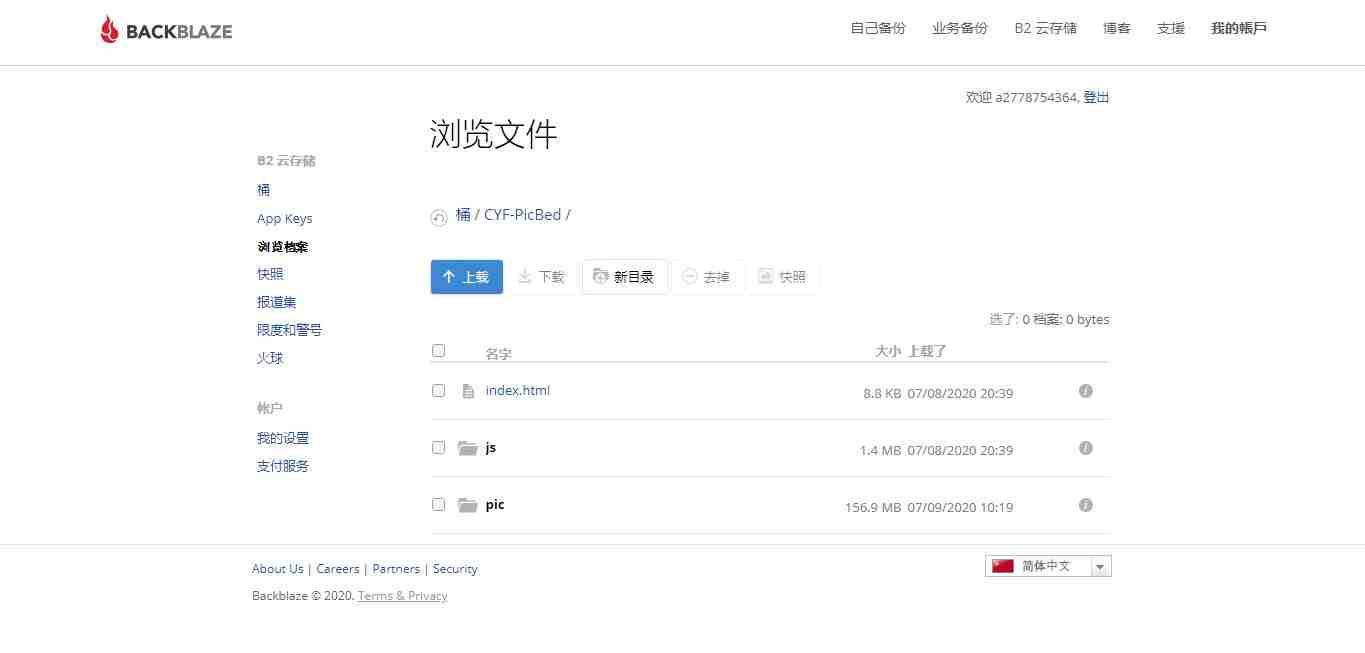
Create a new bucket and set it to public:
Upload a file and click the info button on the right. We need to get some information here:
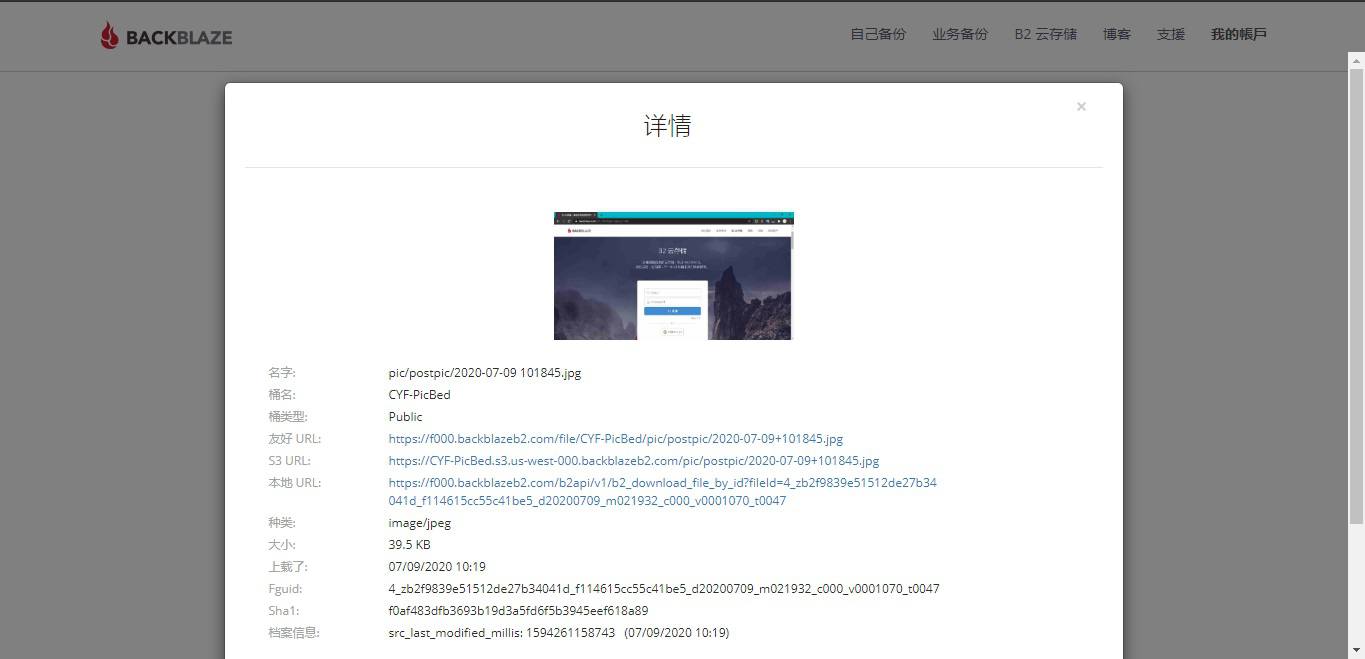
See that friendly URL? That's the CloudFlare accelerated link, but this is not the link we want. We need a custom domain name, after all, the default acceleration is quite a pain.
Custom DomainH1#
This step requires you to have a domain name. Create a subdomain for the image host:
Since I connected to CloudFlare via bnxb, I first need to go to cdn.bnxb.com, point assets.cyfan.top to f000.backblazeb2.com [this might be different for everyone, act according to your own situation], enable the CDN, and then set up a CNAME load balance in DNSPOD. I won't put a picture here. 
Shorten the LinkH1#
By default, even after binding a domain, the link looks something like this:
https://assets.cyfan.top/file/CYF-PicBed/pic/postpic/2020-07-09%20102255.jpg
As you can see, there is an extra /file/CYF-PicBed/ in the middle. This is not what I need, so we want to change it to this:
https://img.cyfan.top/pic/postpic/2020-07-09%20102255.jpg
You should know, I have a ton of images stored directly under https://img.cyfan.top. NotePad++ can batch change them, but I also placed many in external links. So the only way is to change the domain. 
Go to CloudFlare, set up page rules, and do a 301 redirect:
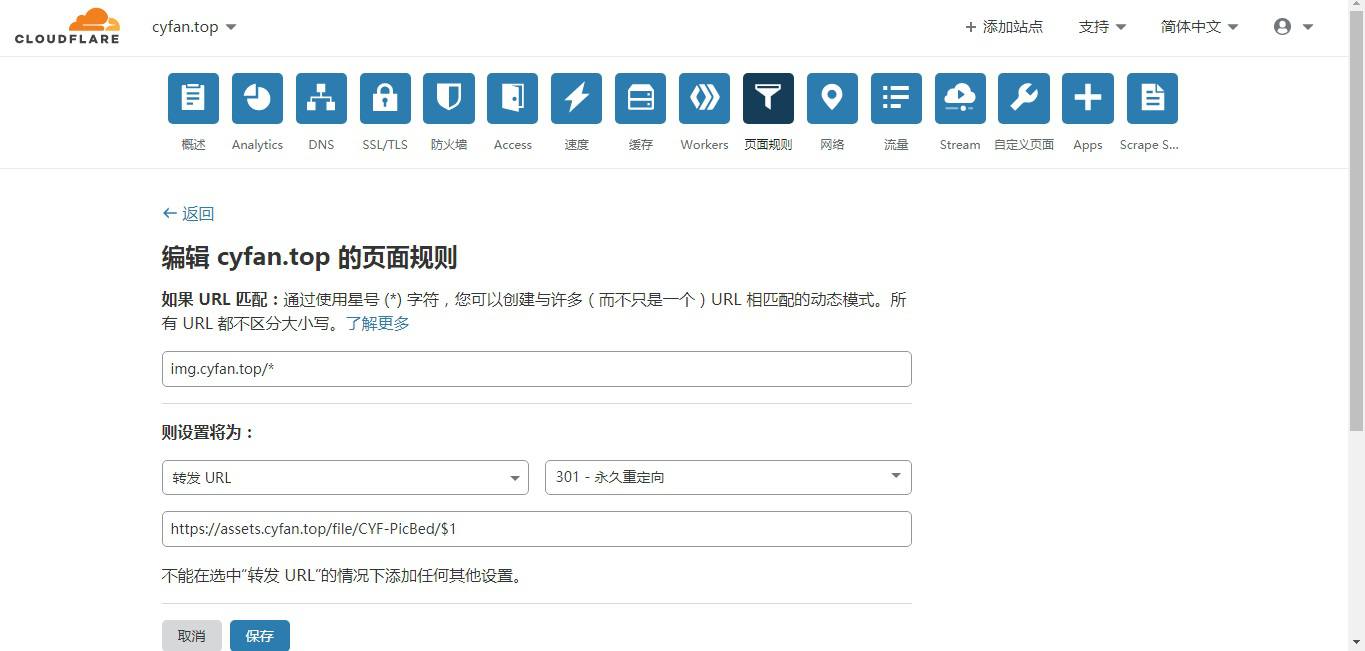
Here, $1 is CloudFlare's matching symbol. This rule means redirecting all https://img.cyfan.top/* to https://assets.cyfan.top/file/CYF-PicBed/*
Go to cdn.bnxb.com, point img.cyfan.top to any IP, like 1.0.0.1, enable the CDN, and then CNAME it in DNSPOD.
From then on, all image accesses will redirect internally, and you basically can't tell the difference from the outside.
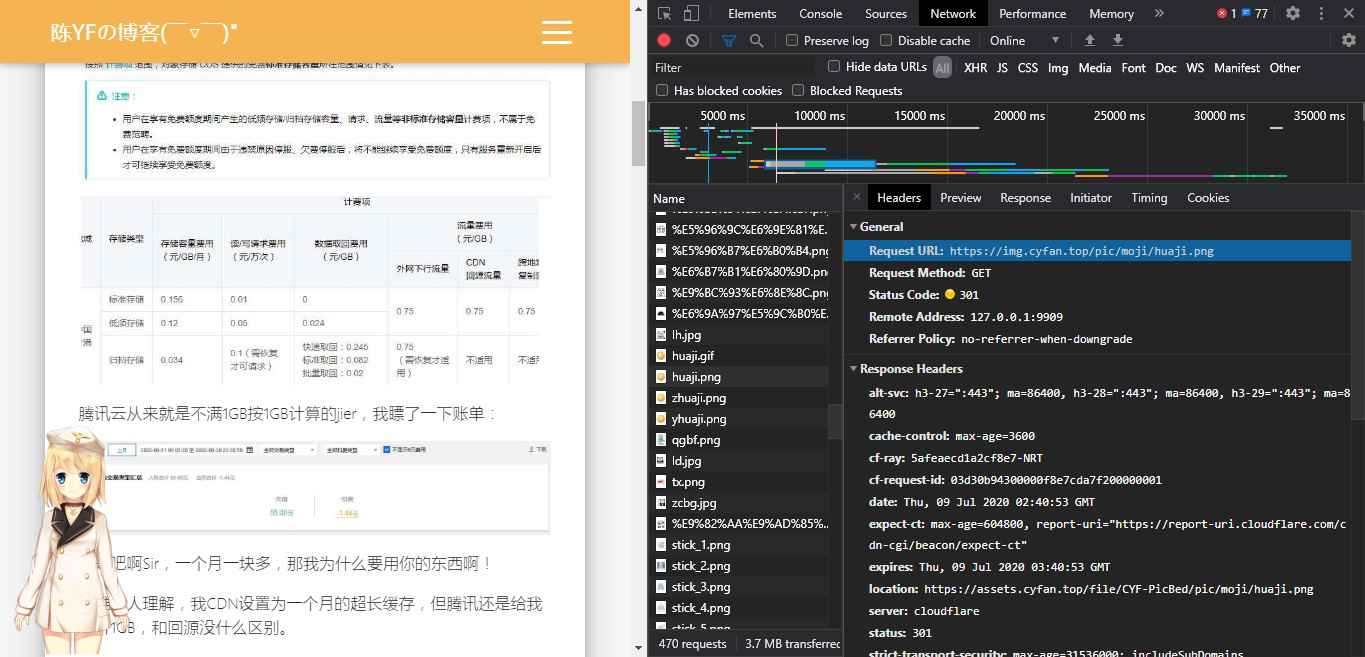
Enable CORS | Extend Cache TimeH1#
Is it over just like that? No, you will find that all the resources in the accessed links are MISS. This is because Backblaze doesn't cache by default  .
.
So, set it yourself!
Click on the bucket to enter the bucket settings:

Write this inside:
{"cache-control":"max-age=43200000"}
This means force caching for 43200000, which is about 50 days. However, note that there is a problem if the time is too long: if you modify an image, it might take 50 days to update on the outside. In this case, you can only clear the cache manually.
Click CORS settings, choose:
与所有HTTPS来源共享此存储桶中的所有内容。
That's it.
Live TestH1#
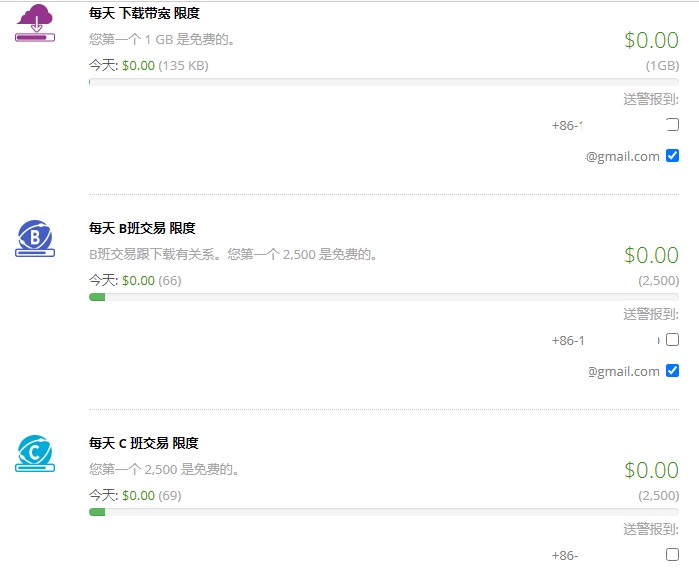
The free quota is basically impossible to use up.
Unfortunately, PicGo does not support Backblaze, so I can only upload via the web interface  .
.
However, one thing is a huge pain: when uploading to the root directory, it won't create folders. A single upload will dump all images inside the folder right into the root. So, I have to create folders manually. This pain is truly,  .
.
Well, after using it for a night, it feels pretty sweet. The pricing of Tencent's COS is indeed unreasonable, they should learn how others charge outside!
Gotta go, haven't finished my homework yet 
Original Link: https://blog.cyfan.top/p/ce240368.html